Feature showcase
A guided tour through the things tsundoku does, with the screens captured live against a running install. Pages link out to the operator guides where each feature is described in detail.
Browse the catalog
The feed at / is the surface most of the rest of the docs link
back to. Every series tsundoku has linked at least one release to
shows up here, filterable and ordered however you like.
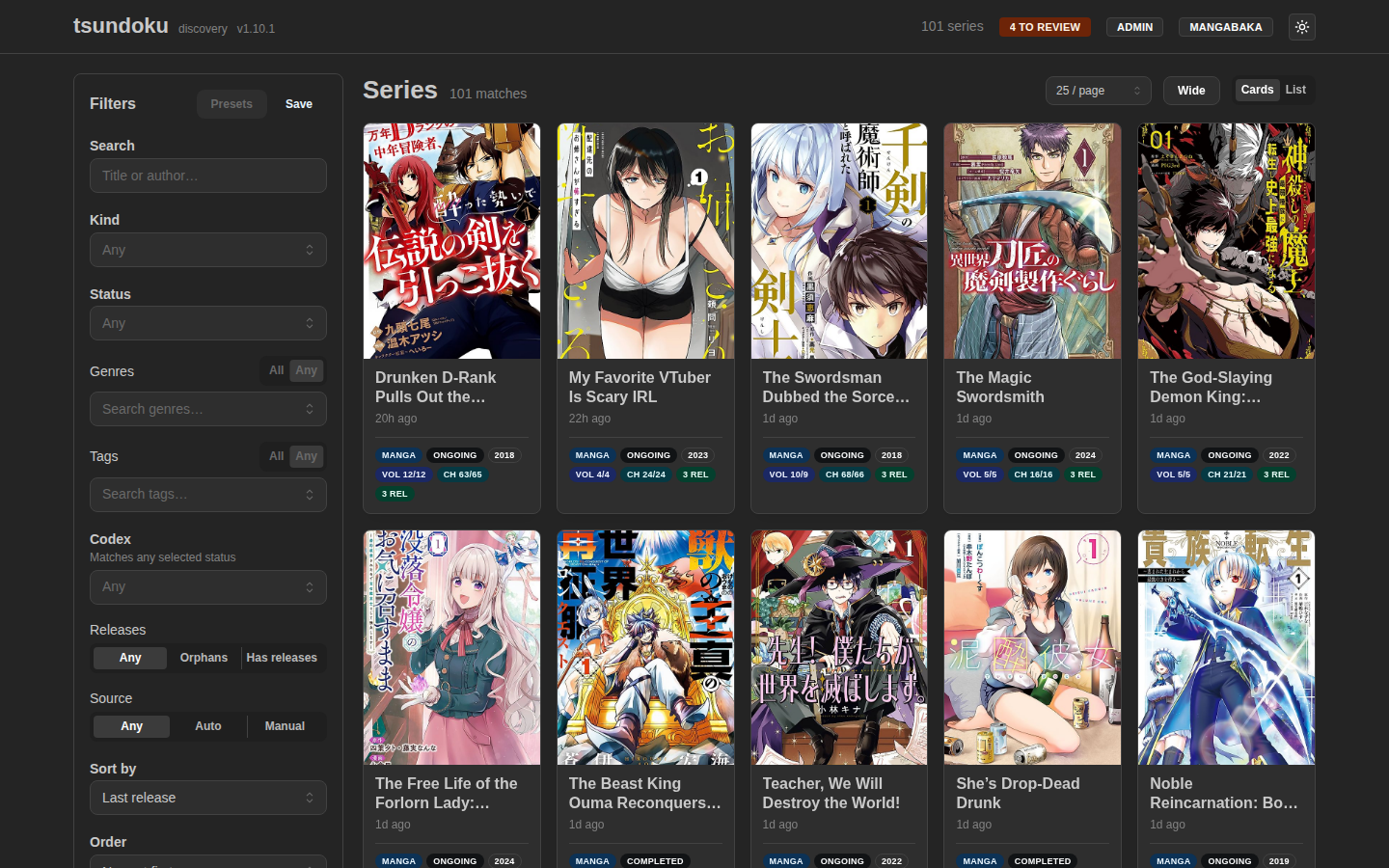
Card grid
The default view, sized for cover-driven browsing. Each card shows the canonical title, kind, status, year, and how recently the last release landed.
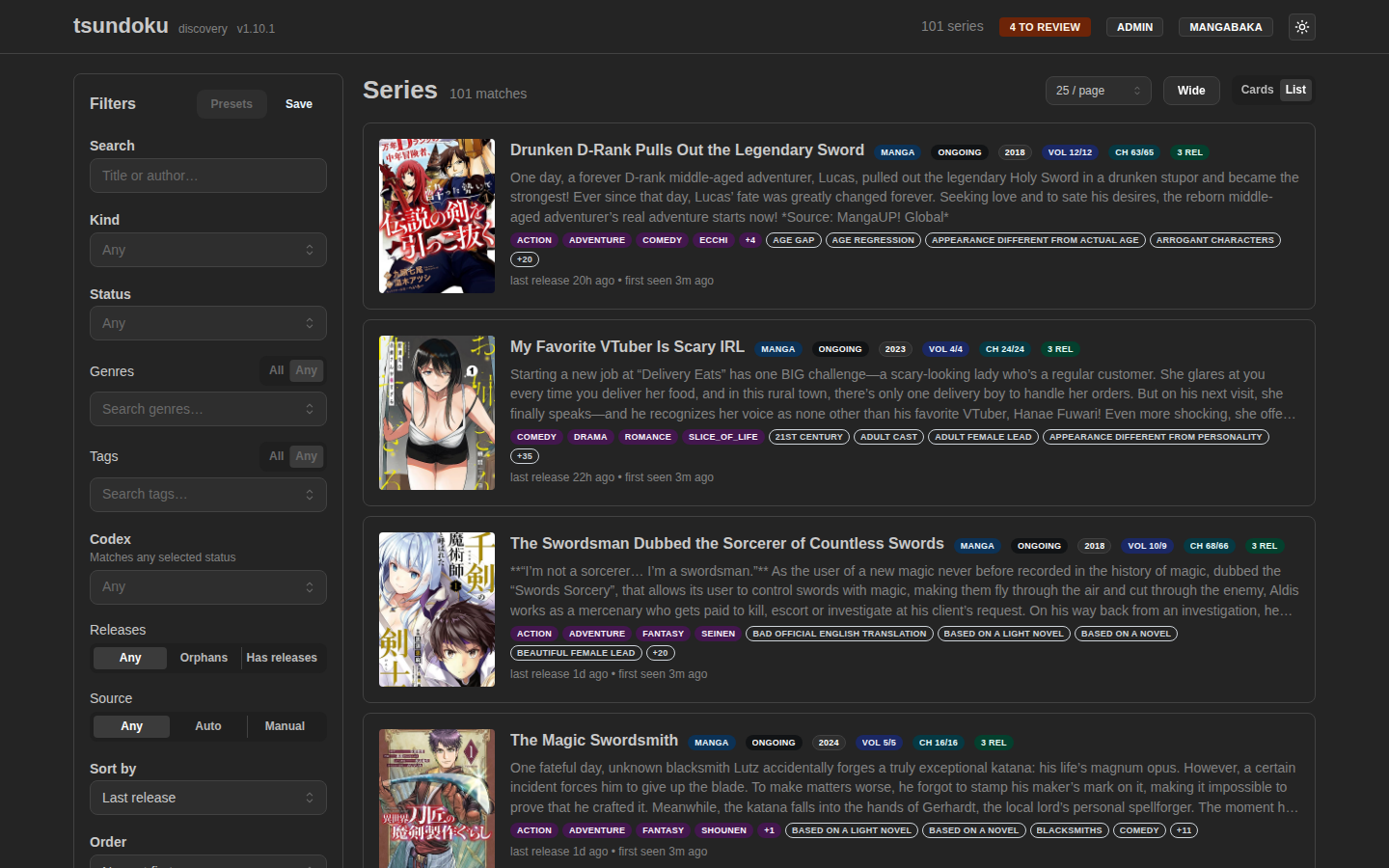
List view
Denser layout for sort-by-count comparisons (total volumes, total
chapters, release counts). The view toggle is in the page header and
is sticky via the view=list URL param.
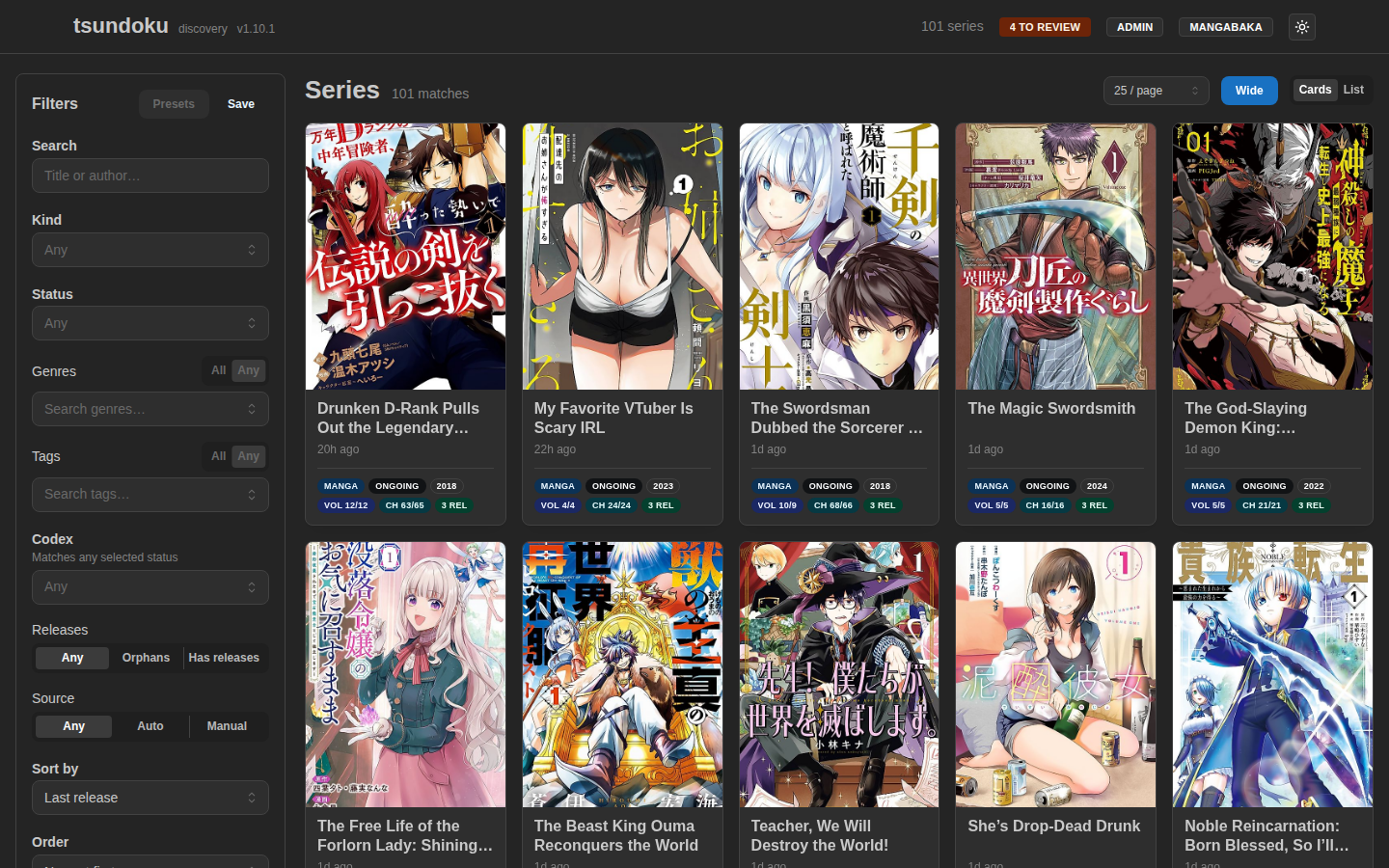
Wide layout
A per-device toggle for data-dense browsing on large displays. It
drops the centered max-width container so the freed horizontal space
turns into more columns rather than larger cards. Persisted to
localStorage alongside the view and page-size preferences.
Filter rail
The left rail lives in the URL — copy the address bar to share or bookmark a view. Genre and tag chips can be combined with Any (default) or All semantics. Releases is a tri-state for the orphan / has-releases axis.
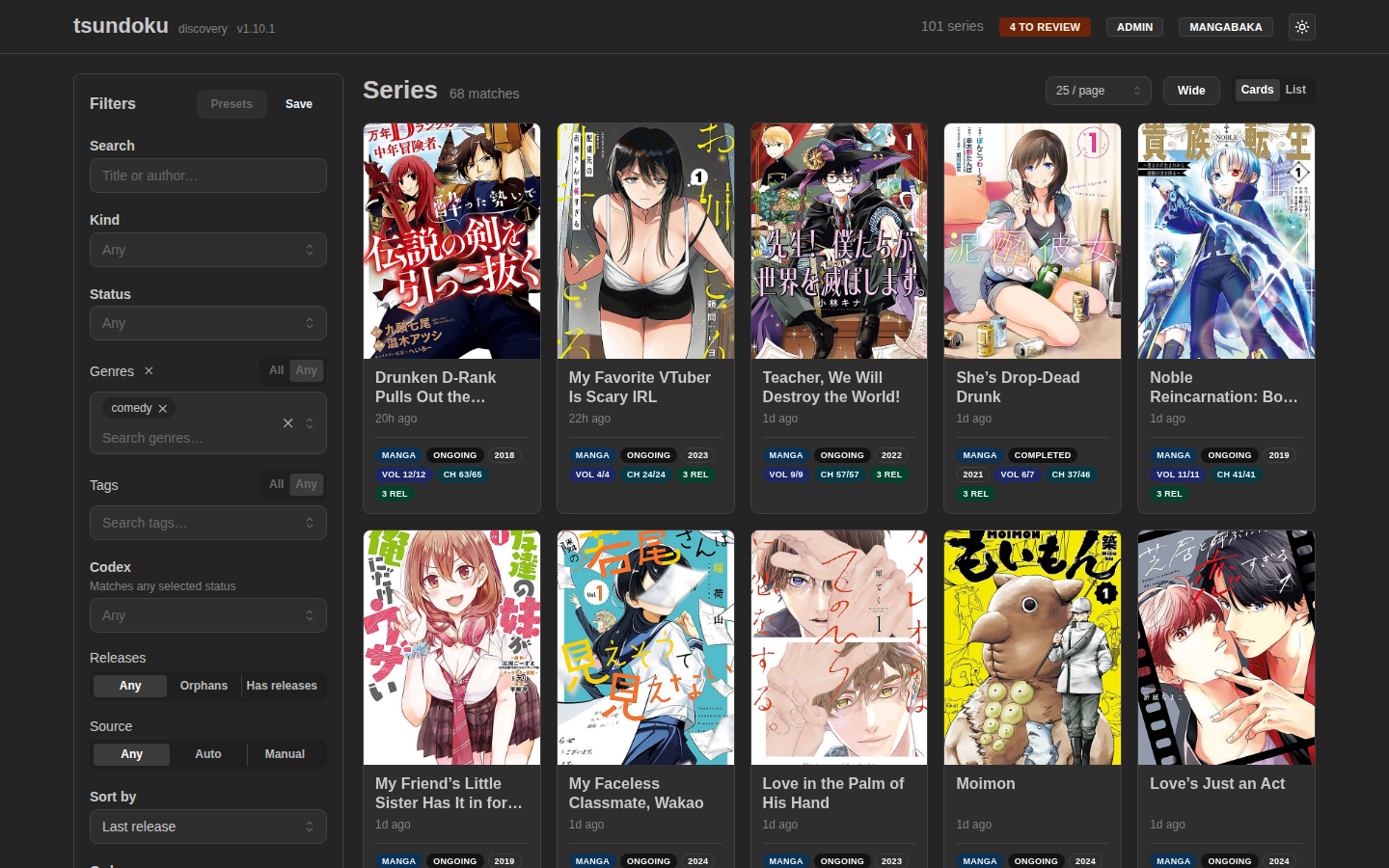
→ Full rundown of every filter, preset, and sort: Browse.
Series detail
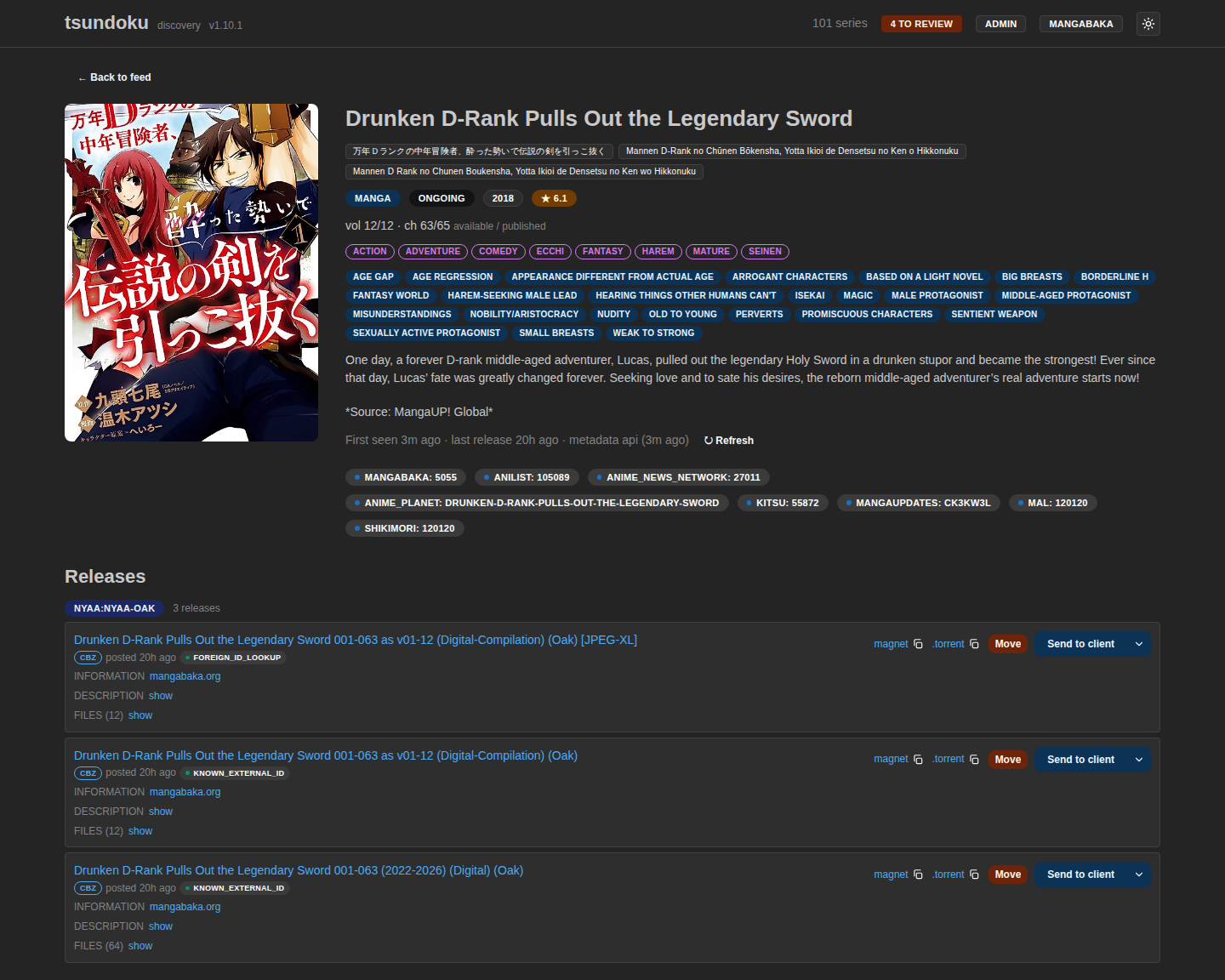
Click any card to drill into the full series page. Description, alternate titles, every external-ID mapping the resolver has on file, and the full release list — including a per-row Move action to re-link a release that landed on the wrong series.
Admin
Everything operator-facing lives under /admin/* and is gated by
auth.admin_token. The shell prompts for the token on first load
and caches it in localStorage.
Overview
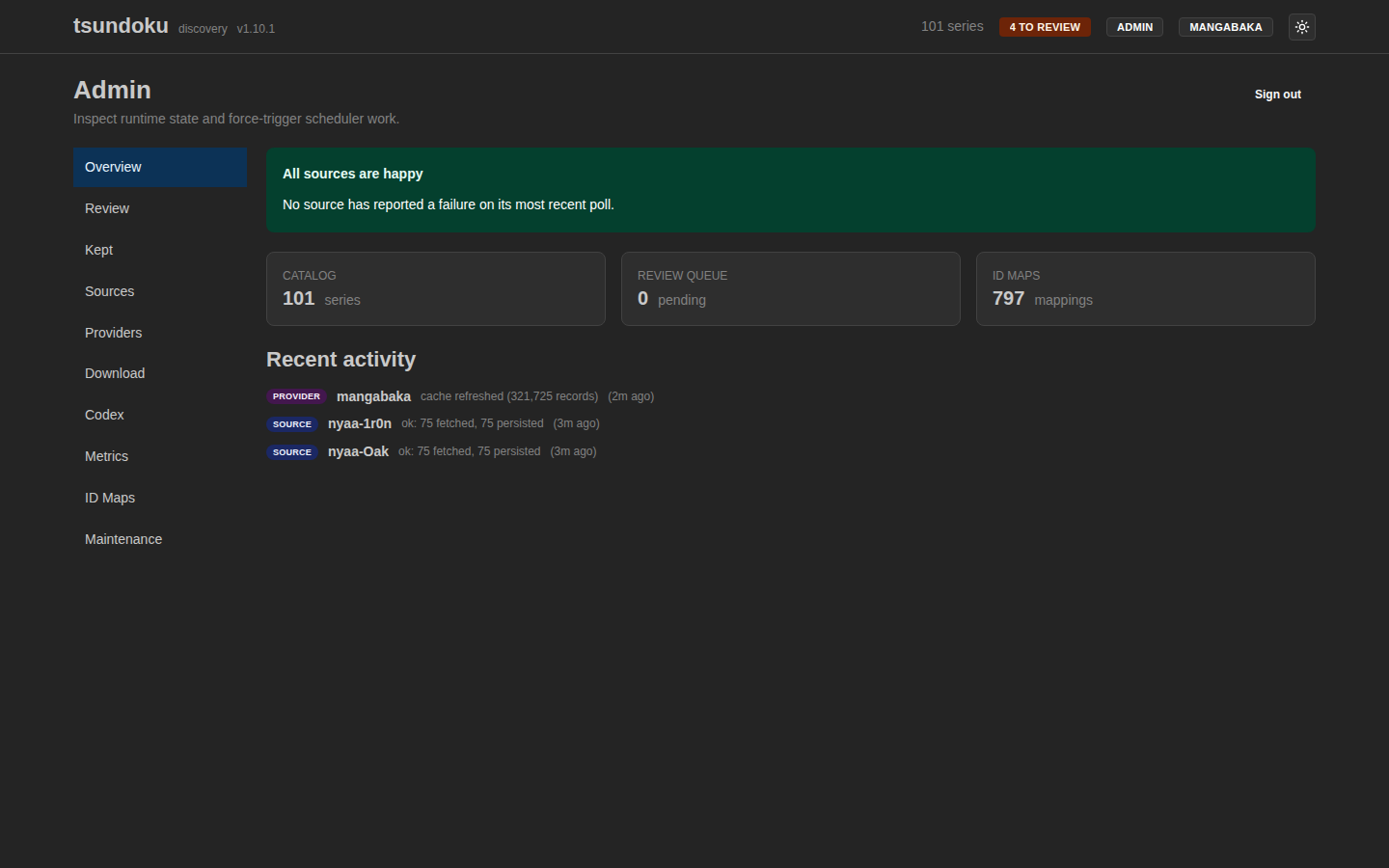
Health-at-a-glance for every registered source and provider, plus queue counters. A red N failing pip in the page header surfaces sources whose last poll errored.
Review queue
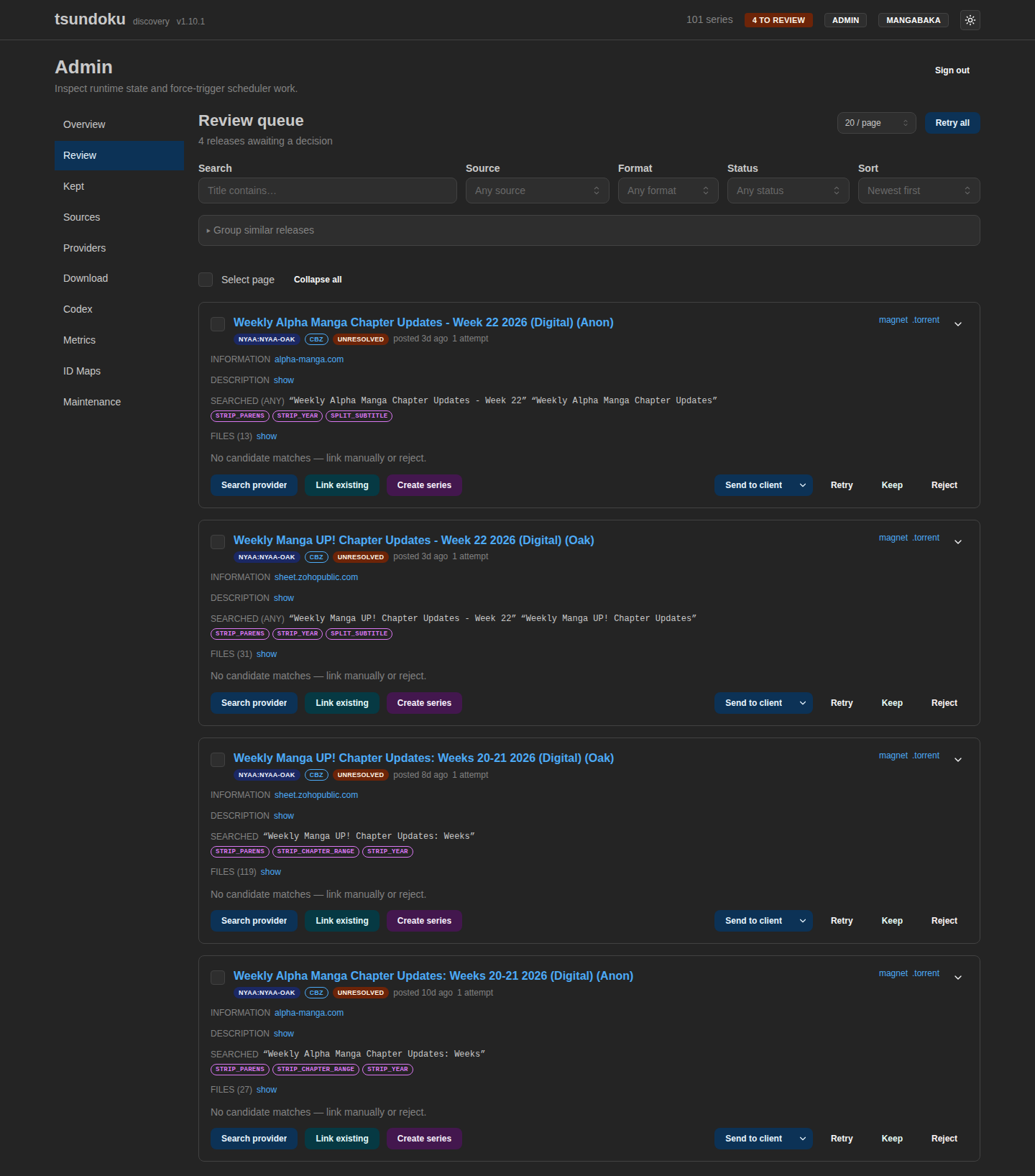
Releases that the resolver wasn't sure about. Each card surfaces the raw title, the cleaned search query, every cleanup rule that fired, scored candidates with one-click Link, and the provider-search modal for the cases where none of the candidates fit.
→ Card anatomy, bulk operations, and the re-resolve-after-rules-change flow: Review queue.
Kept releases
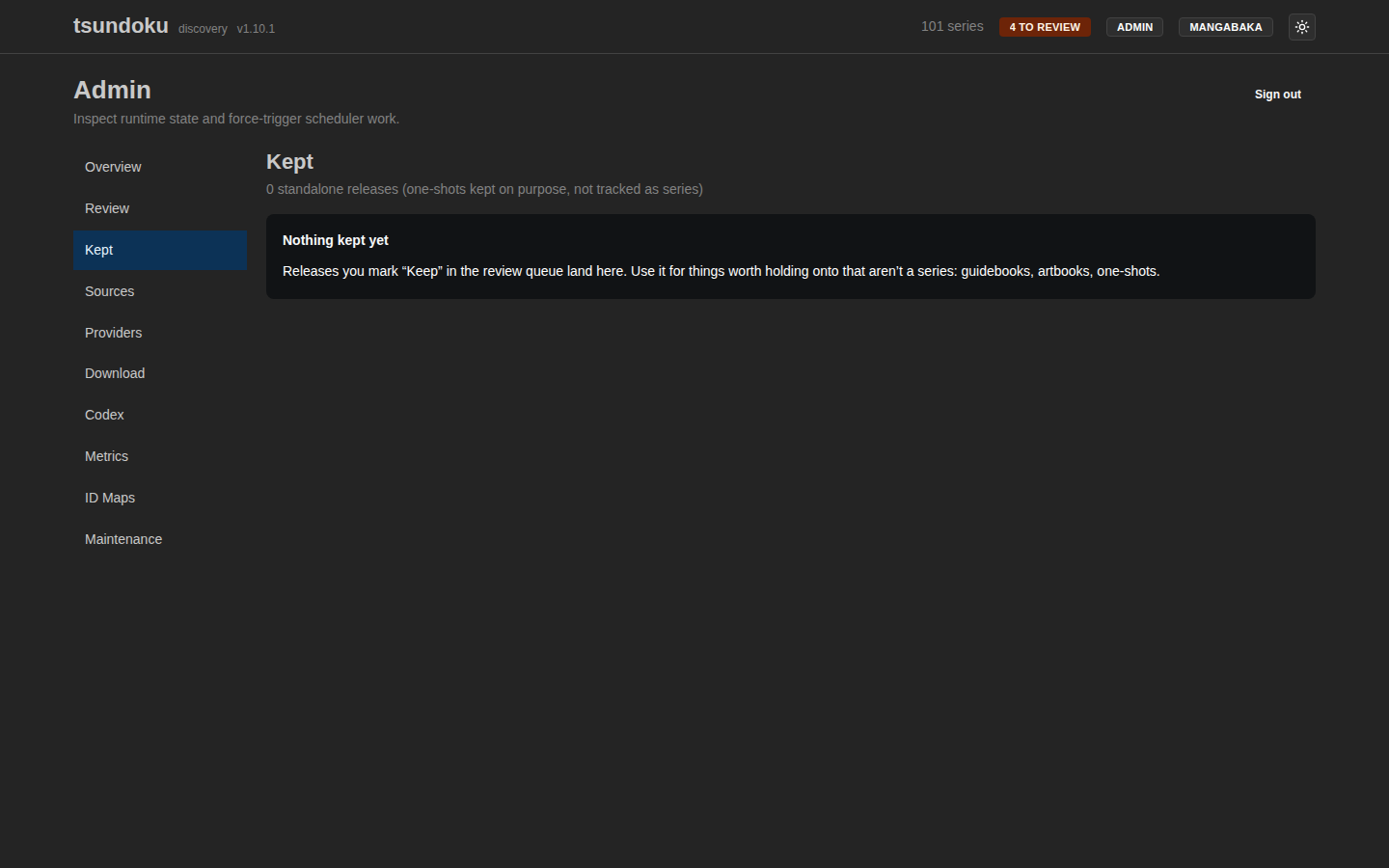
The resting place for standalone items — guidebooks, artbooks, databooks — that aren't a series but also shouldn't be rejected. Skipped by the resolver; only the manual Re-resolve button on each card sends them back through the pipeline.
→ When to use Keep vs Reject: Kept releases.
Sources
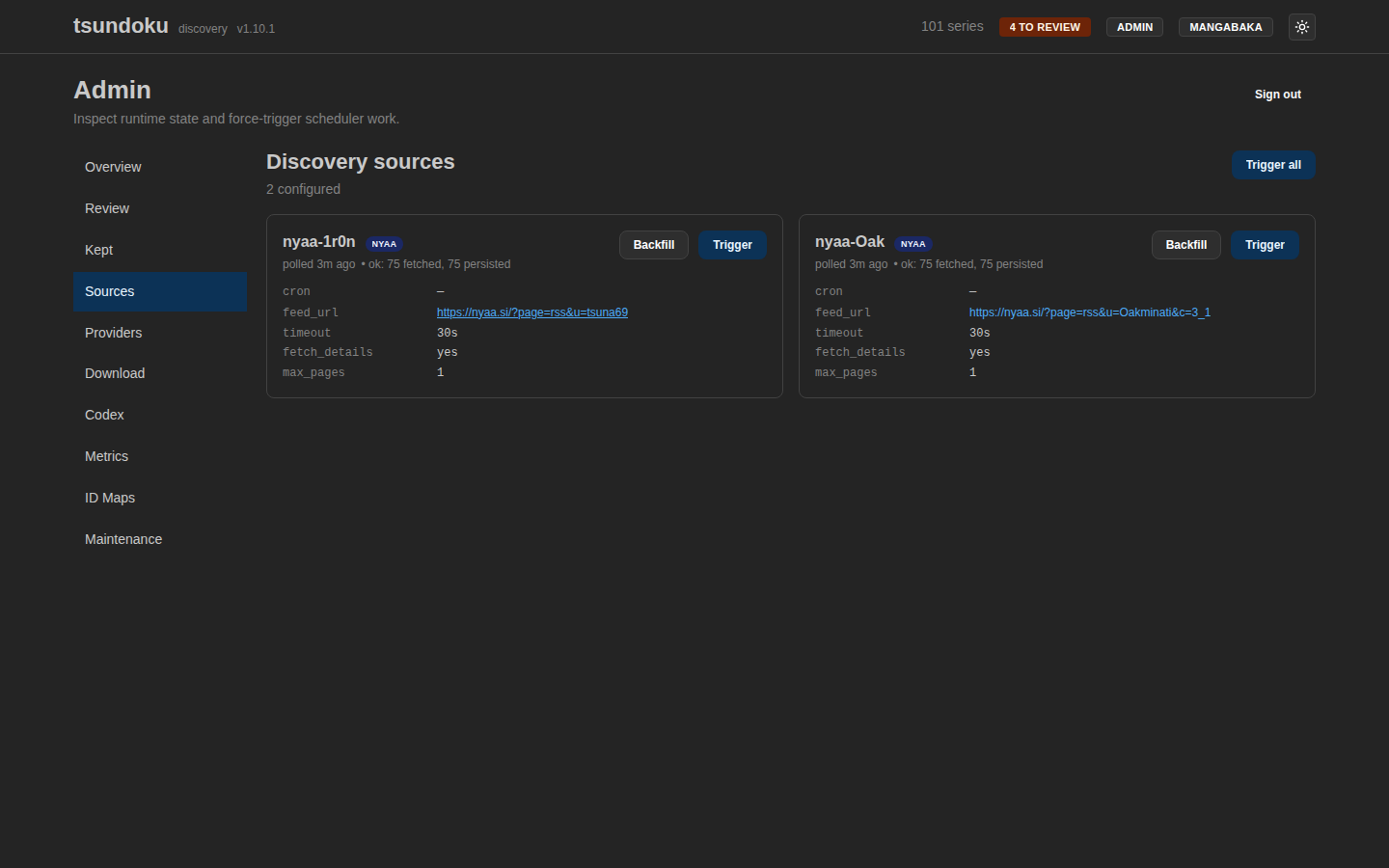
Every [[sources]] block from config shows up here. Last poll
time, last summary (new vs duplicate), last error, and a per-source
Poll now button that shares its job lock with the cron tick.
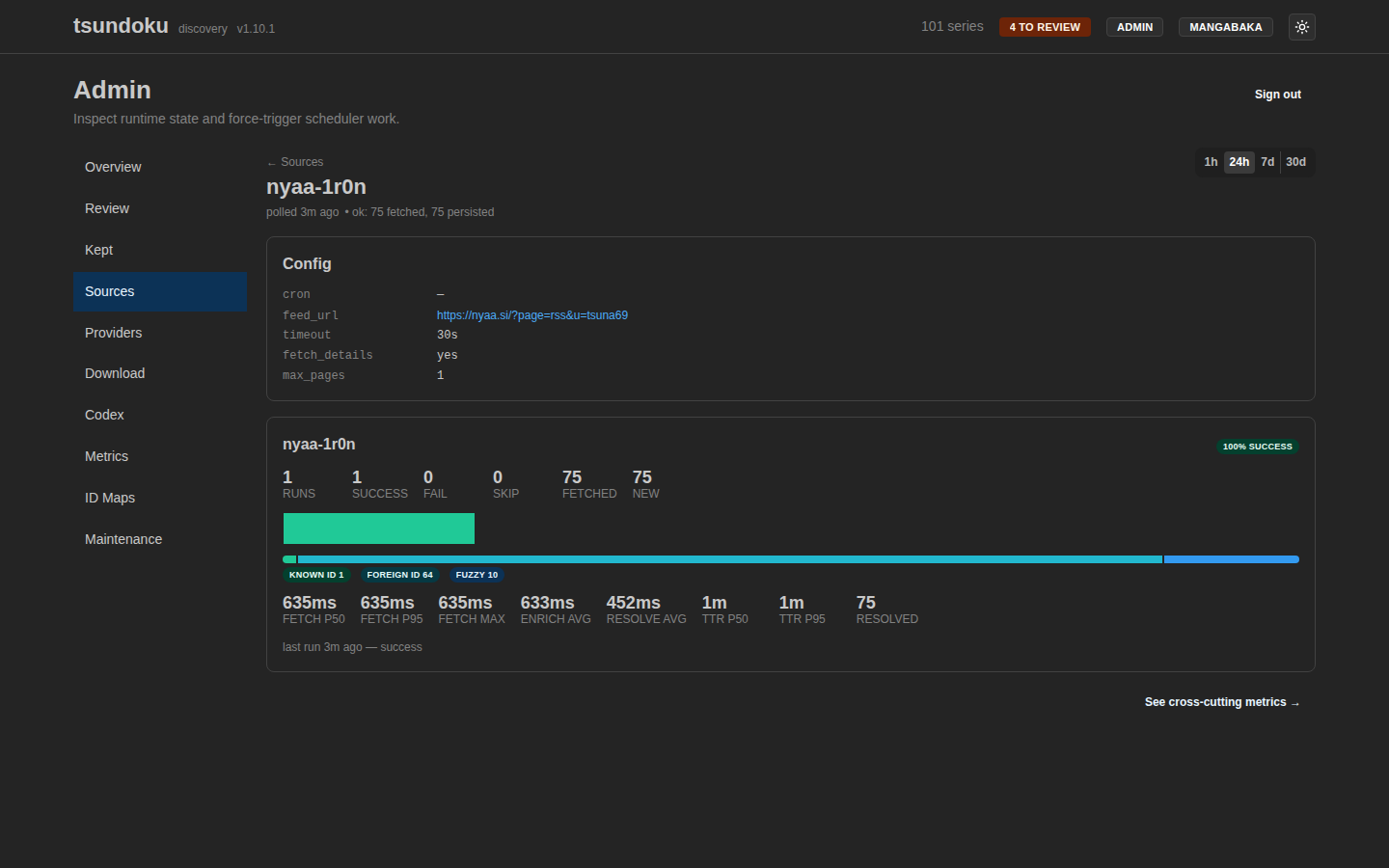
The per-source detail page shows recent runs, the full effective config, and historical metrics.
→ Adding a source, RSS feed URL recipes, and the backfill caveat: Sources.
Providers
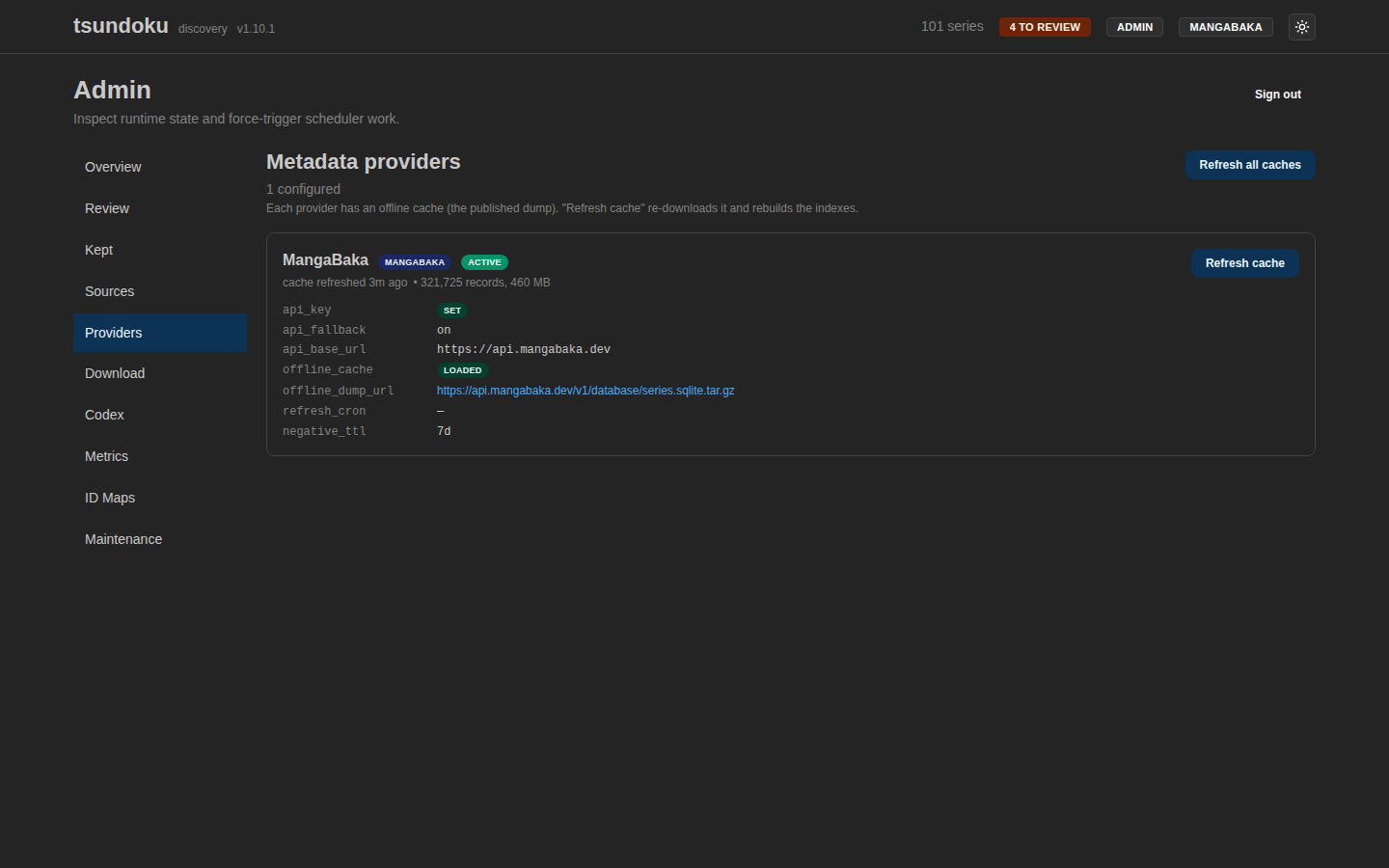
The metadata-provider equivalent: every registered
[providers.<id>] block, with the active one marked. Surfaces
offline-cache age, last refresh status, and a Refresh cache
trigger that downloads the latest dump.
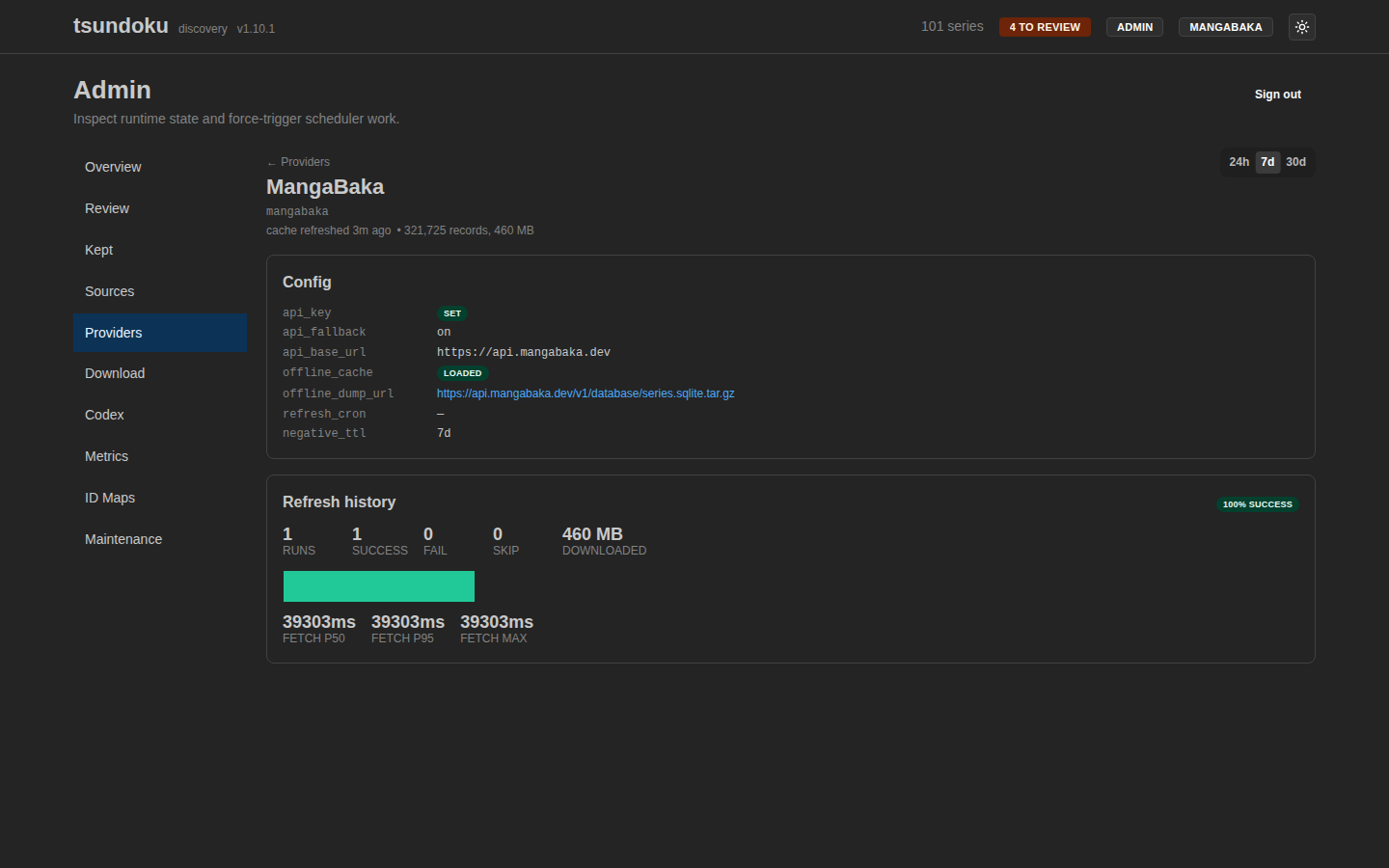
Per-provider detail surfaces the offline dump's row count, the SHA-1 sidecar that gates re-extraction, and a recent-runs table.
→ Active vs registered, the offline-dump lifecycle, and the API fallback toggle: Providers.
Download client
The optional send-to-client integration pushes a discovered release straight into your torrent client (ruTorrent in v1). This read-only page surfaces the configured connection, live reachability with an on-demand Test connection, and the recent check / send audit — every send attempt, success or failure, is recorded here.
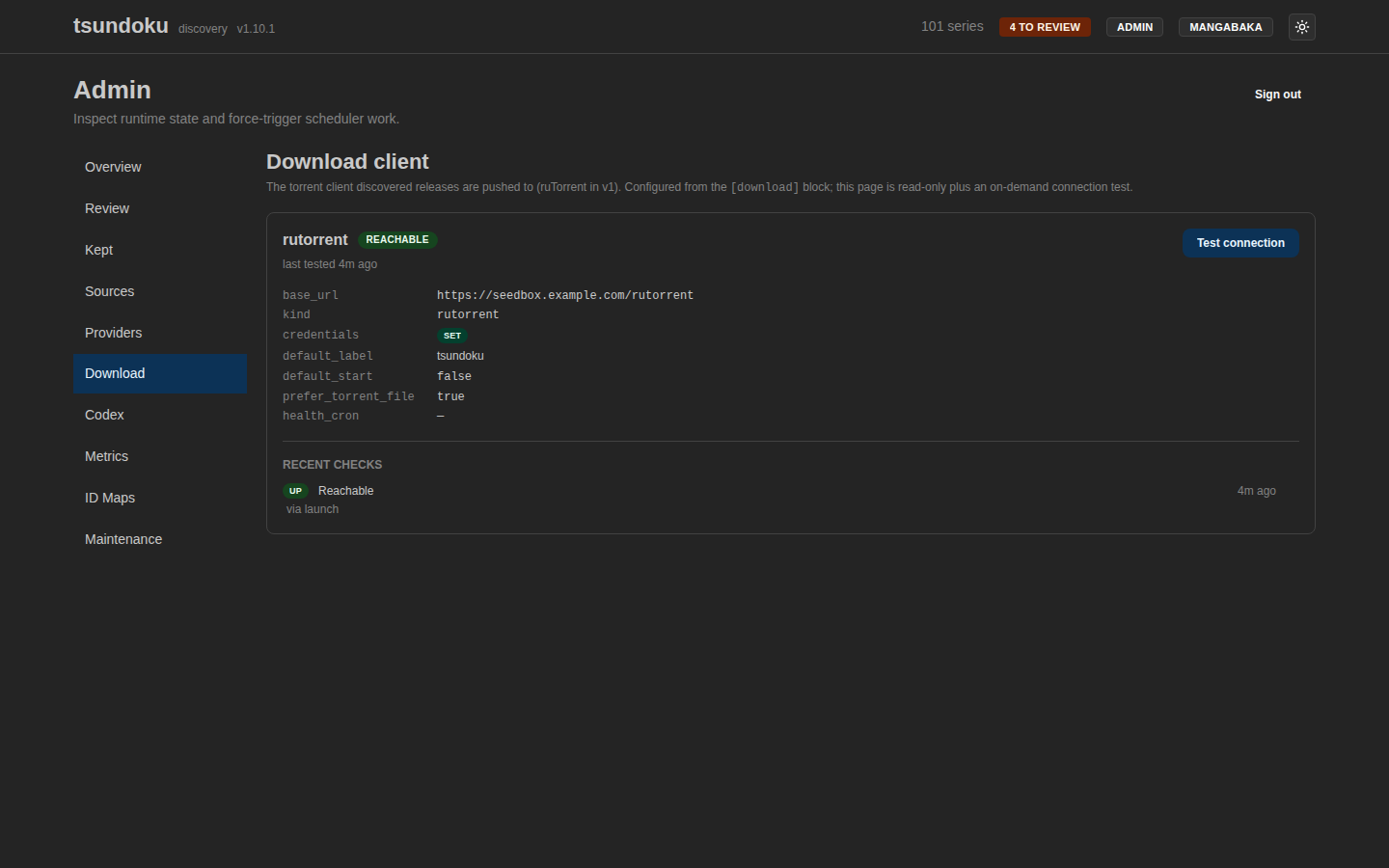
→ Enabling the integration, what gets sent, and the send audit: Download client.
Codex
Connection health for the optional Codex presence sync: reachability, auth state, linked-series count, and the per-sweep history. Test connection probes Codex on demand; Refresh now triggers a presence sweep so the ownership badges on the feed refresh immediately.
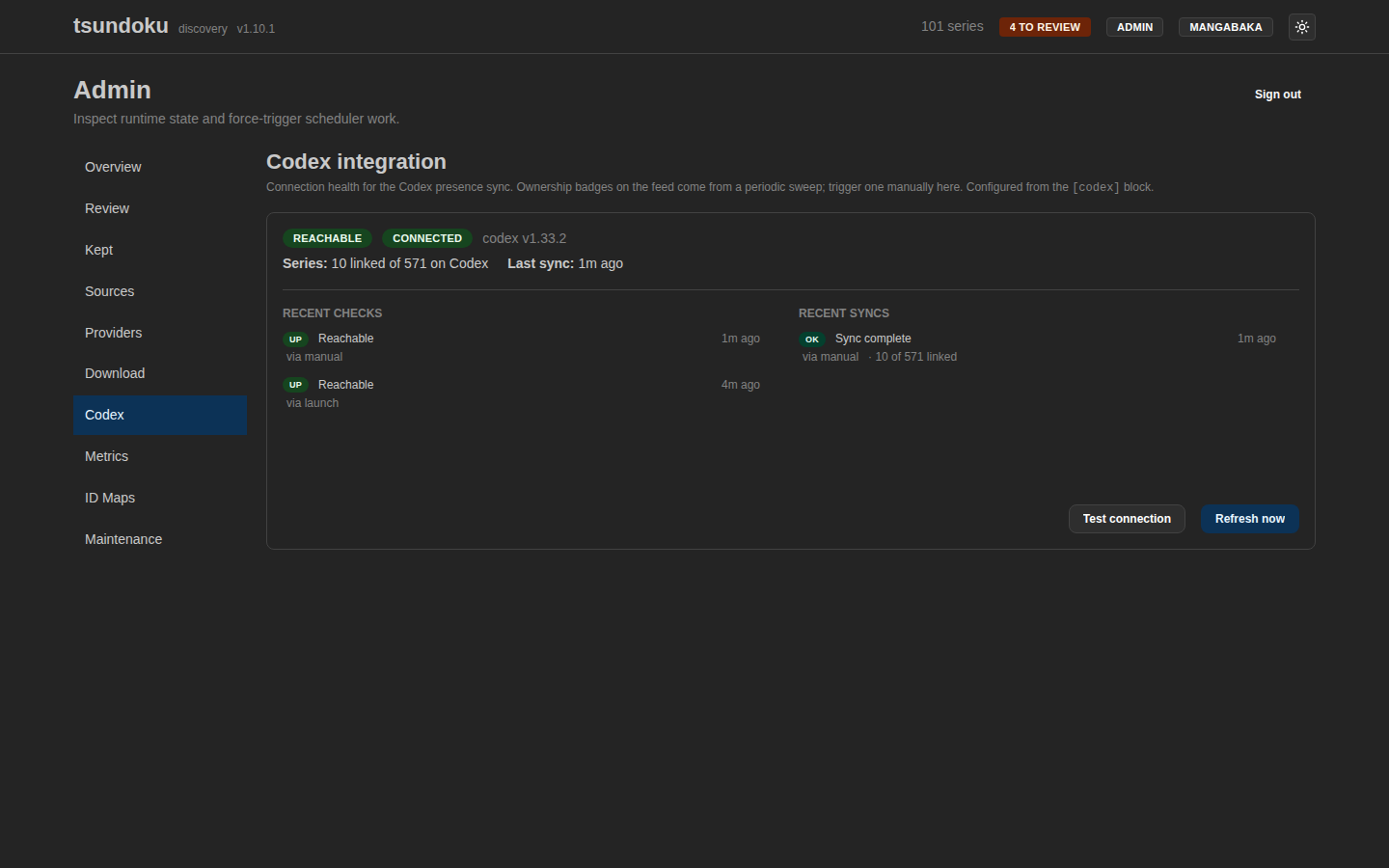
→ Ownership badges, the sync sweep, and filtering by ownership: Codex integration.
Metrics
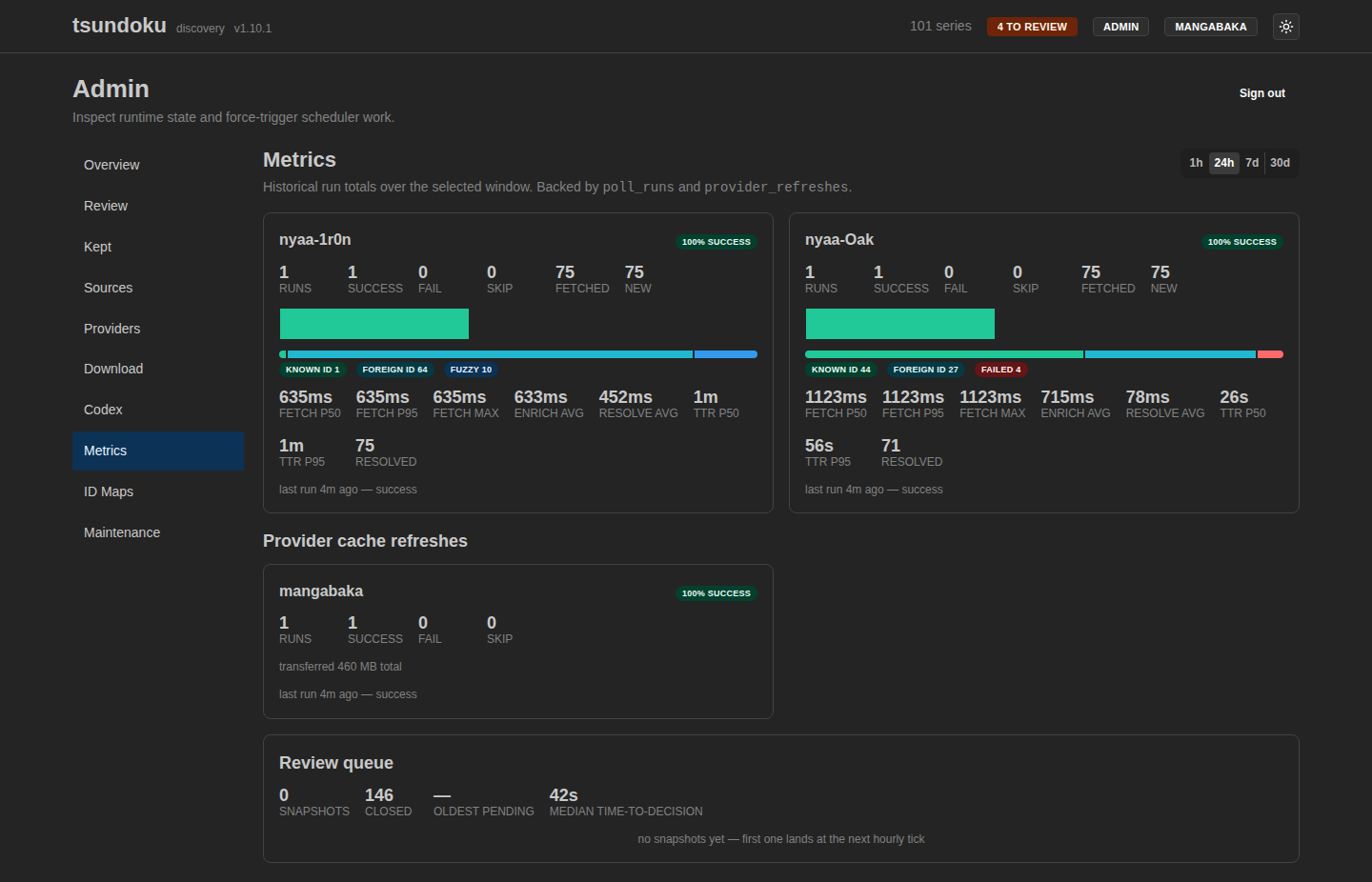
Time-series charts for source poll volume, resolver throughput,
review-queue depth, and per-provider call counts. The depth chart
is fed by the hourly review_queue_snapshots snapshot job, so a
flat-and-growing line means a cleaner rule is missing.
ID maps
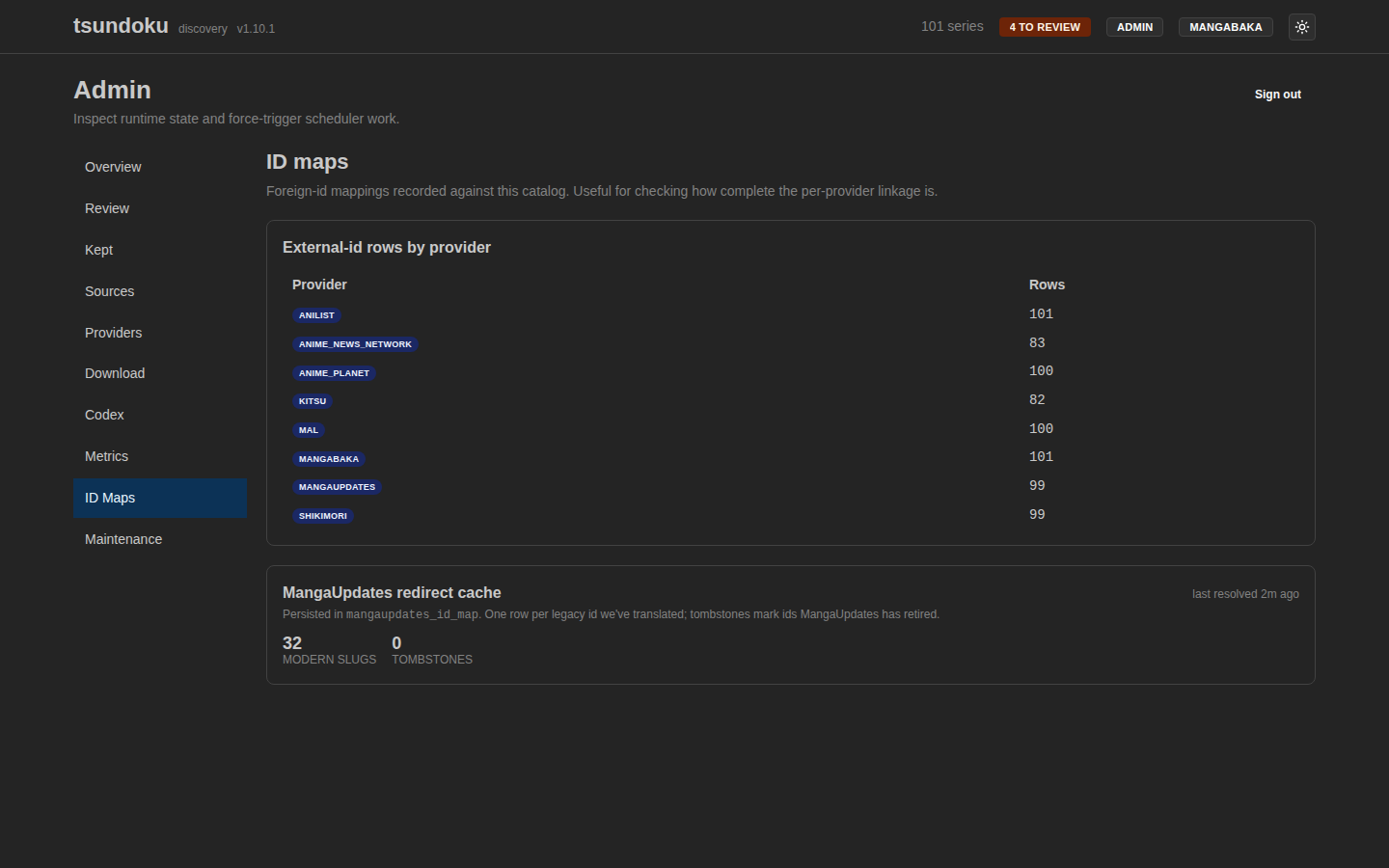
Cross-provider foreign-ID lookups (MangaUpdates ⇄ MangaBaka, etc.). Used by the resolver's foreign-ID step to short-circuit fuzzy title search when an external link extracted from a post body matches a known canonical id.
Maintenance
Escape-hatch operations that don't belong on a per-source or per-provider page: invalidate metadata hashes so the next refresh rewrites every row, kick a series-metadata refresh tick now instead of waiting for cron, or wipe the cover-proxy disk cache. Each is a card with its own confirmation modal.
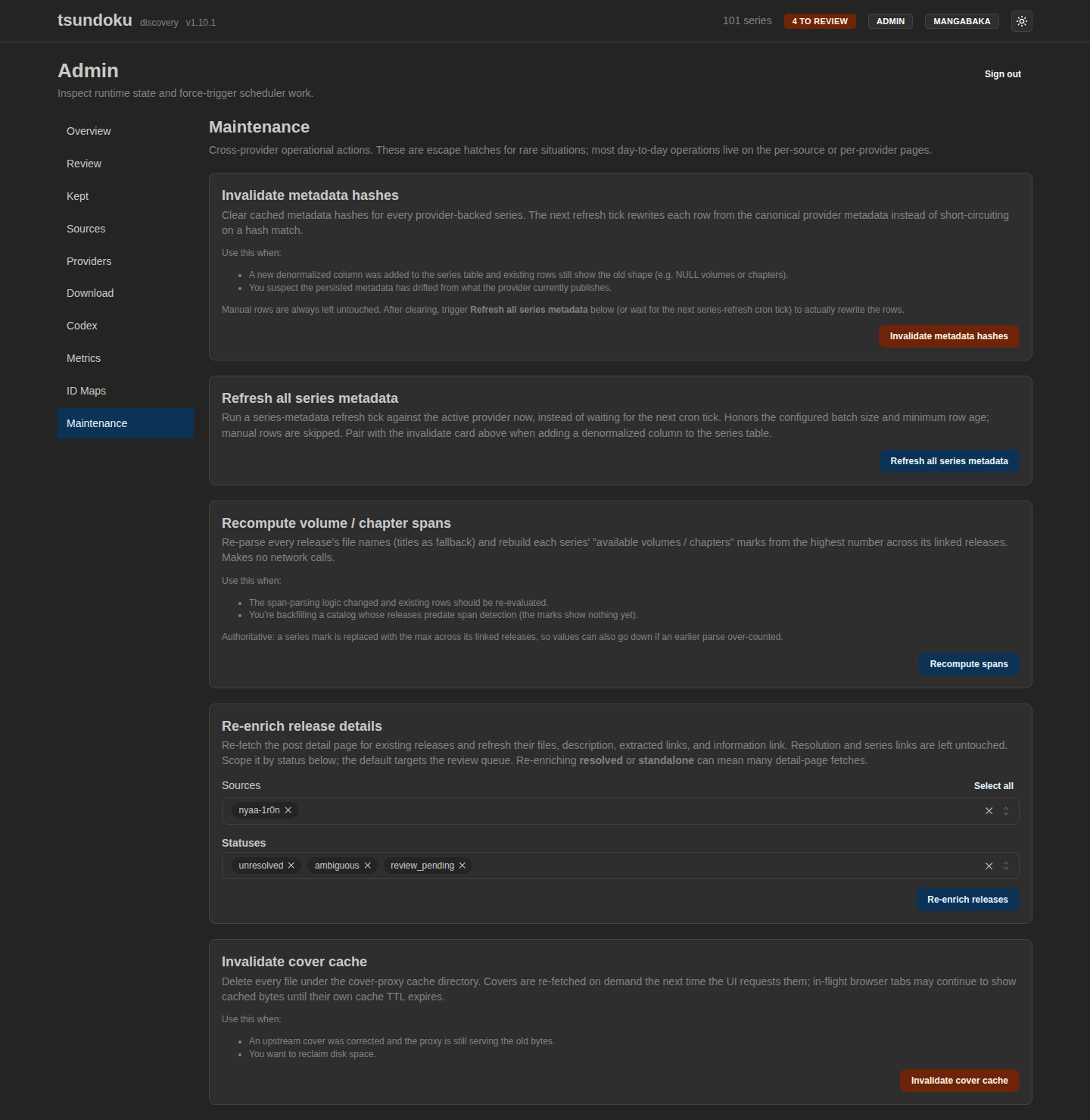
→ When to reach for each card: Admin maintenance.