Catalog export
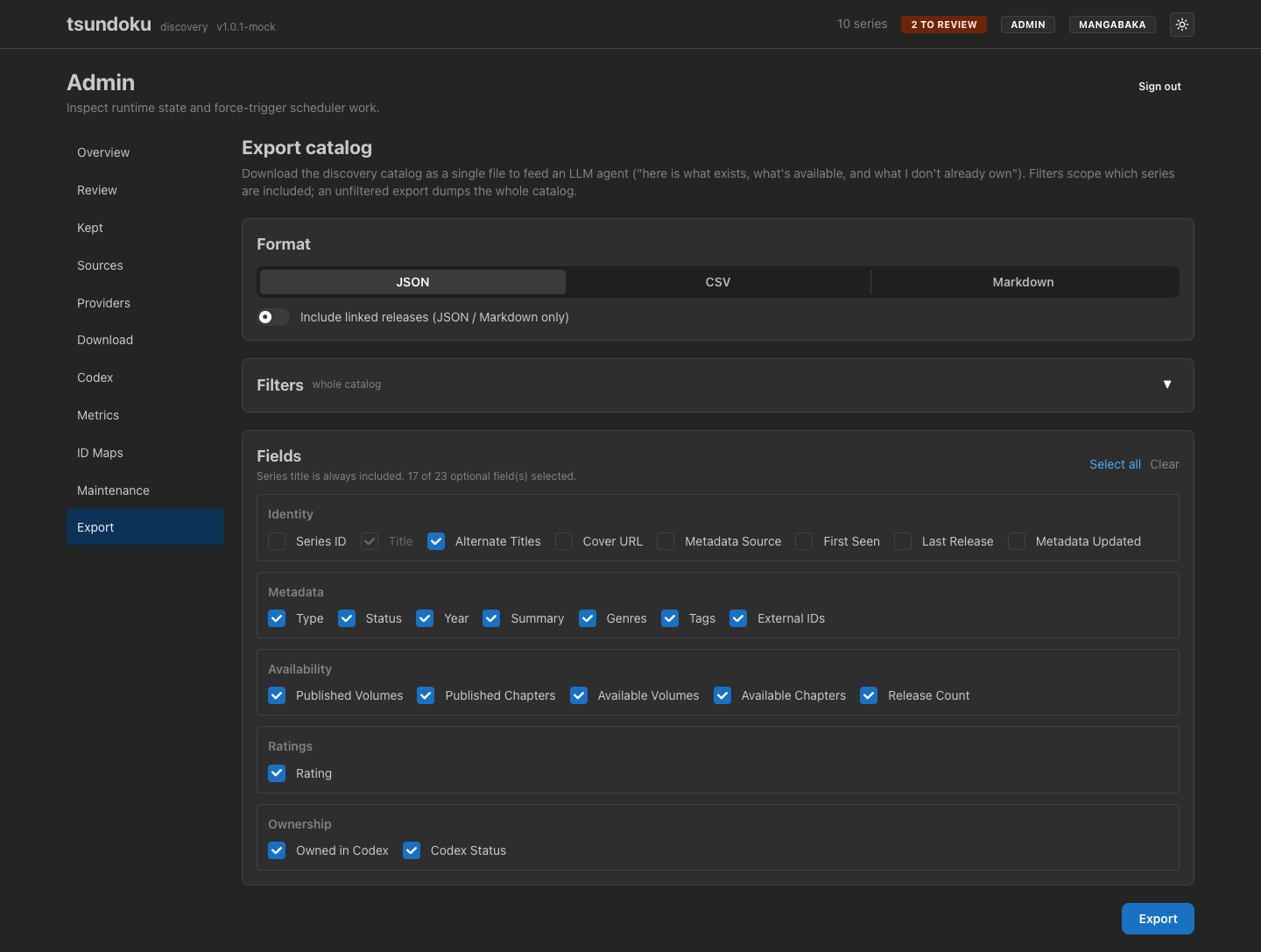
tsundoku's whole point is knowing what manga exist and which volumes/chapters are actually out there. The catalog export hands that knowledge to an external tool: one click downloads the (filtered) discovery catalog as a single JSON, CSV, or Markdown file. The intended use is feeding it to an LLM agent for recommendations — "here is everything I've discovered, what's available, and what I don't already own; suggest what to read next."
It is admin-only. Like the Codex and
Download integrations, it can surface Codex ownership, which
never reaches the public read tier — so the endpoint lives behind the admin
bearer and the page sits under /admin/export.
What you get
The export is series-centric: one record per series, carrying the signals an agent needs to reason about a title without a second lookup —
- Identity & metadata: title, alternate titles, type (manga/novel/…), status, year, summary, genres, tags, and the cross-provider external IDs (MyAnimeList, AniList, MangaUpdates, …) so the agent can correlate against what it already knows.
- Availability: the published totals (
totalVolumes/totalChapters) alongside the highest volume/chapter actually seen across linked releases — the difference between "this series has 12 volumes" and "12 volumes are available to grab" — plus a release count. The optionalvolumeCoverage/chapterCoveragefields (off by default) carry the full gap-preserving ranges: JSON exports them as a structured[{start, end}]list, CSV and Markdown as a compact1-4; 6-9, so an agent can see exactly which volumes are missing, not just how far a series goes. - Rating on the normalized 0–10 scale.
- Ownership: whether the series is on Codex and, if so, its completion status — the field that lets an agent skip recommending what you already have.
The series title is always included; every other field is opt-in via the field grid.
Choosing a format
| Format | Best for |
|---|---|
| JSON | Feeding an agent. Full fidelity, nests releases when asked. |
| CSV | The most token-efficient dump for a large catalog; opens in a spreadsheet. Flat, series-level only. |
| Markdown | A human-readable table you can skim or paste into a chat. |
Include linked releases nests each series' individual releases (torrent
title, source, volume/chapter span, link) under it. This applies to JSON and
Markdown only — CSV is a flat table that can't hold a variable-length list, so
it carries releaseCount instead and the toggle is disabled while CSV is
selected.
Scoping with filters
Filters are collapsed by default — the whole-catalog dump is the common case — so the panel is an opt-in drawer; the header shows how many filters are active when you've set some. They mirror the Browse list's semantics, so what you'd see in the browser is what lands in the file. The most useful one for recommendations:
Set Codex status to Not on Codex to export only the series you don't already own — the natural input for "what should I read next?"
Type, status, Codex status, genres, and tags are multi-select (pick several
values; matches within a field are OR-combined). Metadata source (manual vs
provider-backed) and has-releases are single-choice. The dimensions are
AND-combined with each other: Type ∈ {manga, manhwa} and Status = ongoing, for example.
Free-text search is intentionally not an export filter. Search is a relevance ranking, not a catalog filter; an export is a complete dump of everything matching the structured filters, so a ranked subset would be the wrong shape.
Choosing fields
The field grid groups the columns the same way you'd expect — Identity, Metadata, Availability, Ratings, Ownership. Select all / Clear toggle the lot; the title stays on regardless. Fewer fields make a smaller file, but for an agent there's rarely a reason to trim: more context is better. The bookkeeping fields (internal ID, cover URL, timestamps) are off by default because they're noise for a recommendation prompt.