Download client
tsundoku is discovery-centric: its job ends at surfacing a release and linking it to a series. The optional send-to-client integration adds one more step — a button that pushes a discovered release straight into your torrent client so you don't have to copy a magnet link by hand.
It is off by default and admin-only. A public (read-tier) visitor never
sees the send button, and the integration is configured entirely from the
[download] config block — there is deliberately no settings page, in keeping
with single-user-from-config. ruTorrent is the only client in v1.
tsundoku still does not track download progress. Once a release is handed off, the torrent client is the source of truth for what happens next — tsundoku only records that the hand-off was attempted.
Enabling it
Add a [download] block (and the per-client [download.rutorrent] table) to
your config:
[download]
enabled             = true
kind                = "rutorrent"          # only "rutorrent" in v1
default_label       = "tsundoku"           # omit to let the client apply its own
default_start       = true                 # false adds the torrent stopped
prefer_torrent_file = true                 # false sends a magnet URL instead of the .torrent
health_cron         = "0 * * * *"          # optional recurring re-test; omit to disable

[download.rutorrent]
base_url            = "https://box.example.com/rutorrent"
username            = "rutorrent-user"     # the CLIENT'S own HTTP credential, not tsundoku's [auth]
password            = "rutorrent-pass"     # omit both if the endpoint is unauthenticated
url_path            = "plugins/httprpc/action.php"  # or "RPC2" for a bare rTorrent mount (the default)
Two things to get right:
[download]holds client-agnostic settings; the connection nests per kind. The label, start/stop, and.torrent-vs-magnet preference live at[download]; the host and credentials live under[download.rutorrent]. A second client would add[download.qbittorrent]without flattening everyone's keys.username/passwordare the client's own credentials, unrelated to tsundoku's[auth] api_key/admin_token. Omit both if the endpoint is unauthenticated. You can supply the password via theTSUNDOKU_DOWNLOAD__RUTORRENT__PASSWORDenvironment variable instead of the file.
When enabled = true, [download.rutorrent].base_url is required —
tsundoku refuses to start otherwise, rather than silently failing every send.
How sending works
When the integration is enabled, a Send to client button appears on each release in the Review queue, on Kept releases, and on the release rows of the series detail page. One click hands that release to the configured client.
What gets sent depends on prefer_torrent_file:
true— tsundoku fetches the release's.torrentfile (through its own rate limiter) and loads the raw bytes into the client.false— the magnet URL is sent instead, and the client fetches the metadata itself.
default_label tags the torrent (e.g. for a ruTorrent label/category view) and
default_start decides whether it begins downloading immediately or is added
stopped.
A successful send stamps the release with a Sent badge so you can tell at a glance what's already been pushed. Every attempt — success or failure — is recorded in the send audit (see below); a failed send no longer vanishes into a bare error toast.
ruTorrent over XML-RPC
tsundoku talks to ruTorrent over rTorrent XML-RPC (system.client_version
for the health probe, load.raw_start for sends) at url_path — the same wire
Prowlarr and Sonarr use. Point url_path at ruTorrent's httprpc plugin
(plugins/httprpc/action.php) or a bare RPC2 mount (the default).
The client auto-negotiates HTTP Basic or Digest auth: seedbox ruTorrent
installs typically sit behind Digest-protected Apache, so tsundoku detects the
challenge and computes the Digest response itself. You don't configure which
scheme to use — just supply username / password and tsundoku picks the
right one from the server's WWW-Authenticate header.
Connection status
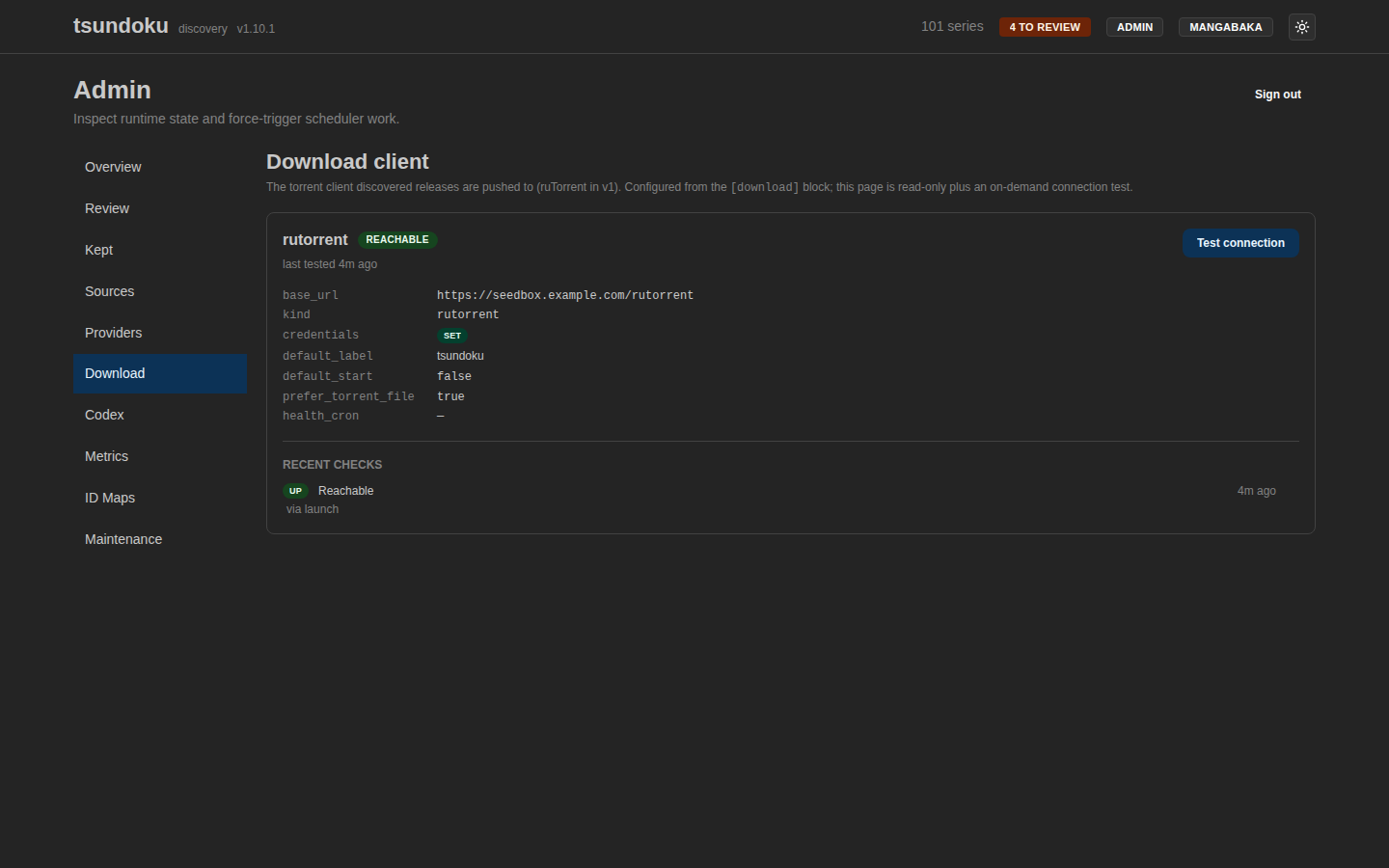
The admin Download page (/admin/download) is read-only plus an on-demand
test. It shows the effective config (the password is never surfaced, only a
set / none credentials badge) and the live connection health:
- Reachable / Unreachable — whether the last probe reached the client, with the time of the last test and the last error if it failed.
- A Test connection button to probe the client on demand.
- A Recent checks reachability history (up/down transitions only, so a
frequent
health_cronleaves an uptime timeline rather than one row per tick), populated by the launch probe, the optionalhealth_cron, and the Test button. - A Recent sends audit: one row per send attempt with its outcome, the release it targeted (linked to the series), the label used, and the error if it failed.
The connection is tested once at launch, on demand from this page, and on the
optional health_cron. None of this tracks download progress — that stays with
the torrent client.